Registration
Find us in the AWS Marketplace
Search for “SkySaver” in the AWS Marketplace or Click Here for the marketplace link
Start Setup
After clicking the Subscribe button in the AWS marketplace, click the “Set up Your Account” button at the top of the page.

Register in the SaaS
After clicking the “Set up Your Account” button, you should land on the SaaS registration page shown below. Following the Set up your account button will take you to our portal and will tie the email that you utilize in our portal to the AWS account which you used to subscribe.
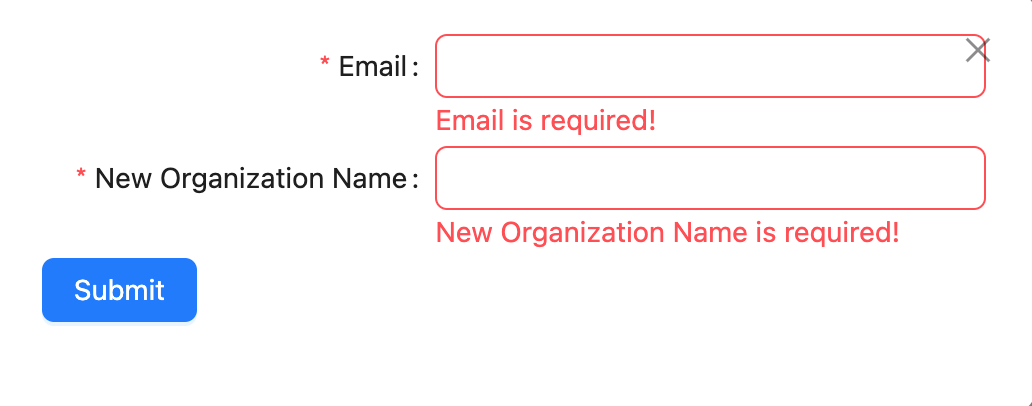
The Email you specify will be the starting administrator email for the project you are creating. You must be able to access this email or else you will not be able to use the tool. The portal authentication is backed by AWS Cognito using an Oauth2.0 flow. Once you submit and get a success message you will login with the account tied to the email you specified and be able to use SkySaver.
The Project Name you specify is any human readable string. We recommend making this name representative of the company or team that the subscription is for.
Once the fields are filled out, click the Submit button
Success
If the registration process completes successfully you’ll see the following message in the modal
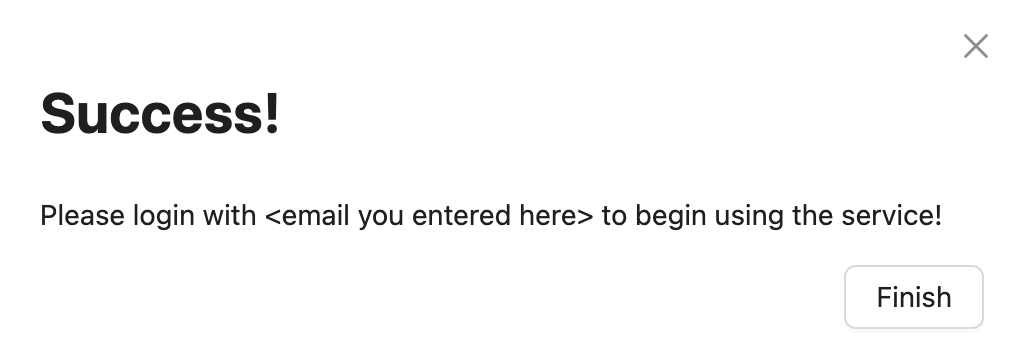
Feel free to click “Finish”. Now all you need to do is login with the your specified email and you can start saving money!
Next Steps
Continue to First Login to learn about logging in and exploring the dashboard.